
Travel Communications Guide
Practical guidance for staying connected before, during and after an international journey.
Reliable communications are easy to take for granted until you arrive somewhere unfamiliar, lose mobile data or discover that the service you expected to use does not work.
For most travellers, communications are now part of the basic travel infrastructure. They support navigation, payments, booking changes, emergency contact, transport, medical assistance and communication with family or colleagues.
Plan Your Connectivity Before Departure
Do not wait until you land to decide how you will stay connected. Before travel, check whether your existing mobile provider includes international roaming at the destination and what charges apply. Some plans include roaming automatically, while others charge daily fees or significantly higher rates for data. If roaming is expensive, an eSIM or local SIM card may be a better option.
The important thing is to know what will work before arrival. Having immediate access to mobile data can be particularly useful when you need to contact a driver, check into accommodation, access a booking, use a navigation app or respond to a change in travel plans.
Roaming
Roaming is usually the simplest option because you keep your existing number and do not need to change SIM cards.
For short journeys, that convenience may justify the cost.
However, roaming charges can vary significantly between countries and providers. Data-intensive activities such as video calls, cloud backups and streaming can quickly increase costs where roaming is not included.
Check your provider’s policy before travel and understand whether there are daily limits, fair-use restrictions or countries excluded from your plan.
If you intend to use roaming only for essential communications, disable unnecessary background data and automatic updates.
eSIMs
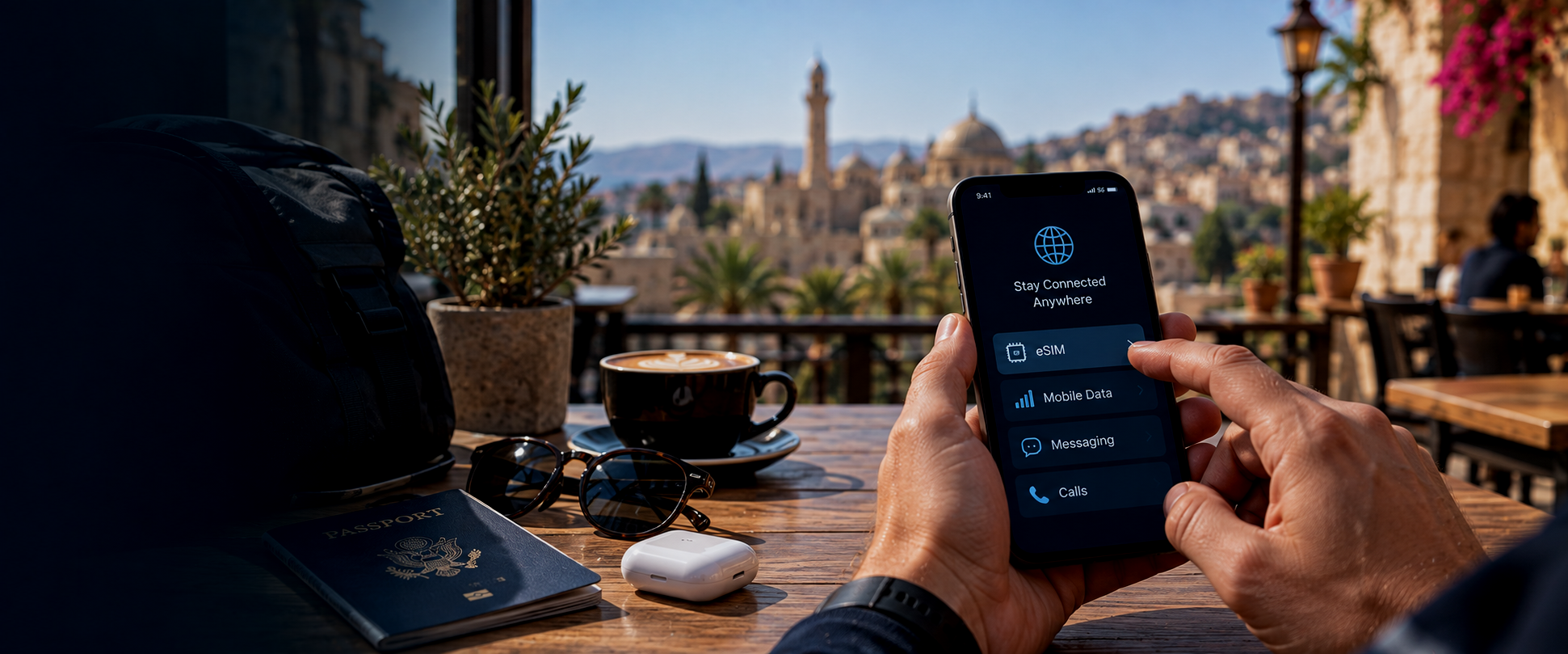
eSIMs have made international connectivity much easier for travellers with compatible phones. They allow you to add a second mobile service digitally without removing your primary SIM card. This can be useful because you can keep your normal number active for calls and messages while using the eSIM for local or regional data.
When choosing an eSIM, look at coverage rather than price alone. Some services use strong local networks in one country but weaker partners elsewhere. Regional packages may be convenient, but they are not always the best option in every market. Install the eSIM before departure where possible and make sure you understand how to switch mobile data between lines.
Local SIM Cards
A local SIM can be a good option for longer stays or destinations where local mobile data is inexpensive and widely available. Airport kiosks, mobile network stores and authorised retailers often sell prepaid SIM cards. Requirements vary. Some countries require passport registration, while others may require additional local identification.
If you use a physical local SIM, make sure your normal SIM is stored safely. It is also worth considering whether changing the SIM affects access to services that rely on your original phone number.
Keep Your Main Number Active Where Possible
Your normal mobile number may be linked to banking, email, messaging and two-factor authentication. Removing or disabling it completely can create problems if you need to receive a verification code while abroad.
Where possible, keep the primary number active even if you use another SIM or eSIM for data. This is especially useful during longer trips, when financial institutions or online services may request additional authentication because you are logging in from another country.
Wi-Fi Is Useful, but Do Not Depend on It
Hotels, airports, cafés and public spaces frequently offer Wi-Fi, but access and quality vary considerably. Some networks require registration, a local mobile number or a browser login page. Others may become unreliable when many people are connected. Wi-Fi is useful as a backup, but it should not be your only communications plan if connectivity is important to your journey.
Download essential information before leaving reliable internet access. That includes boarding passes, hotel details, maps, contact numbers and important documents.
Be Careful With Public Wi-Fi
Public Wi-Fi can carry security risks. Avoid accessing highly sensitive services through unsecured networks where possible, particularly online banking or confidential work systems. Use mobile data or a trusted secure connection for sensitive activity. If your employer provides a VPN, understand how to use it before travel.
Do not assume that a Wi-Fi network is legitimate simply because its name resembles the hotel, café or airport you are in. Ask staff if you are unsure which network to use.
Messaging Apps
Messaging apps are often the easiest way to communicate internationally. Different platforms dominate in different countries, so it can be useful to know what is commonly used at your destination. Before travel, make sure important contacts are already saved and the relevant apps are installed and logged in.
Do not rely on downloading or verifying an app after arrival if mobile service is uncertain. For business travel, also understand which communication channel your organisation expects you to use during an incident.
Emergency Contacts
Save important numbers before departure. That should include local emergency services, your accommodation, airline, travel insurer where relevant and any assistance provider you may need. For business travel, keep the organisation’s travel or security contact accessible.
Do not rely entirely on searching for these details online during an emergency. Saving them in your phone and keeping an offline copy creates a simple backup.
Local Emergency Numbers
Emergency telephone numbers are not universal. Many countries do not use the same number you are familiar with at home, and some have separate services for police, ambulance and fire. Check the local emergency numbers before travel.
It is also worth knowing whether emergency operators are likely to speak your language. Where language may be an issue, a hotel, local contact or assistance provider may be able to help communicate with local services.
Keep Your Phone Charged
A phone with excellent coverage is of little use if the battery is flat. Carry a suitable charging cable and adaptor for the destination. A power bank can also be useful, particularly during long journeys, road travel or disruption.
If conditions are becoming uncertain, charge devices before you need them rather than waiting until the battery is low. Severe weather, power cuts or prolonged transport disruption can all make charging more difficult.
Power Adaptors and Charging
Plug types and voltage differ between countries. Check what adaptor you need before departure. Many modern phone and laptop chargers support a wide range of voltages automatically, but this should still be confirmed on the device or power adaptor.
Cheap or damaged charging equipment can create safety problems. Use reliable chargers and avoid leaving devices unattended in public charging areas.
Offline Maps
Navigation apps are extremely useful, but mobile coverage is not guaranteed. Download offline maps for the destination if your preferred application supports them. This is particularly valuable for road travel, remote locations and destinations where data access may be unreliable.
Save the location of your accommodation and other important places before the journey. A screenshot of an address can sometimes be enough to show a taxi driver or local contact when connectivity is poor.
Save Important Information Offline
Think about what information you would need if you temporarily lost internet access. Useful items include your flight itinerary, accommodation address, passport copy, insurance details, assistance contact, transport booking and any important medical information. Store this information securely on the device and consider carrying a small paper backup for critical details.
You do not need to print everything. The objective is simply to avoid a situation where every important detail is trapped inside an app that cannot connect.
Communications During Travel Disruption
Connectivity becomes especially important when a journey changes unexpectedly. Airlines may send rebooking information by app or email. Hotels may need to be contacted. Alternative transport may need to be arranged quickly.
If an airport, rail station or border area becomes crowded, mobile networks can become slower because many people are trying to connect at once. Act early when possible. Do not wait until the situation becomes more difficult before downloading new bookings, contacting accommodation or checking alternative routes.
Communications During a Security Incident
During civil unrest, terrorism or another security incident, communication priorities change. The first objective is usually to establish that you are safe and understand what is happening around you. Avoid making unnecessary calls if networks are overloaded. Short text messages can sometimes succeed when voice calls do not.
Tell family, colleagues or your organisation that you are safe if appropriate, but avoid repeatedly sharing unverified information. If you are receiving instructions from an employer, assistance provider or local authority, keep that communication channel clear.
Location Sharing
Location sharing can be useful when travelling, but it should be used thoughtfully. Sharing a live location with a trusted person can help when meeting transport, travelling alone or moving through an unfamiliar area.
For business travellers, some organisations use dedicated travel applications that allow authorised teams to identify potentially affected travellers during an incident. Location sharing should be proportionate and transparent. The objective is support and safety, not unnecessary monitoring.
Travelling in Remote Areas
Communications planning becomes more important when travelling away from cities. Mobile coverage may disappear completely on remote roads, in mountainous areas or across large desert regions.
If you are travelling into an area with limited coverage, let someone know your route and expected arrival time. Do not assume that a phone showing signal at the start of the journey will remain connected throughout. For some specialist or remote travel, satellite communications may be appropriate, but this depends on the environment and local law.
Restrictions on Communications Technology
Some countries restrict certain communications equipment or services. Satellite phones, encrypted communications, VPNs and specific applications may be regulated or prohibited. Do not assume that technology lawful at home can automatically be carried or used everywhere.
This is particularly important for journalists, technical specialists and business travellers carrying specialist communications equipment. Check destination requirements before travel.
Protect Your Phone and Data
Losing a phone abroad creates more than a communications problem. The device may contain banking apps, emails, travel documents and personal information. Use a strong screen lock and enable device tracking where available. Know how to remotely lock or erase the phone if necessary.
Avoid keeping the only copy of important travel information on one device. A simple backup can prevent a lost or damaged phone from becoming a much larger problem.
If Your Phone Is Lost or Stolen
If your phone disappears, act quickly. Try to locate or remotely lock the device and contact your mobile provider if necessary. If the device contains banking or work information, notify the relevant organisation.
You may also need to report the theft to local police, particularly if you intend to make an insurance claim. Think about how you will access important accounts without the lost phone, particularly where two-factor authentication is enabled. This is another reason to prepare alternative access methods before travel.
Have a Backup Communications Plan
You do not need multiple devices and complicated systems for an ordinary trip. You do need a simple alternative if your first communications method stops working. That might mean roaming as a backup to an eSIM, Wi-Fi as a backup to mobile data or keeping a colleague’s or family member’s number written down.
For higher-risk or remote travel, the backup may need to be more substantial. The important principle is straightforward: do not allow one device, one network or one application to become the single point of failure for the entire journey.
Stay Connected Wherever You Travel
Reliable communications make it easier to navigate, respond to disruption and access help when you need it.
Global Traveller helps members stay informed and connected through destination intelligence, travel alerts and direct access to 24/7 medical, security and travel assistance.